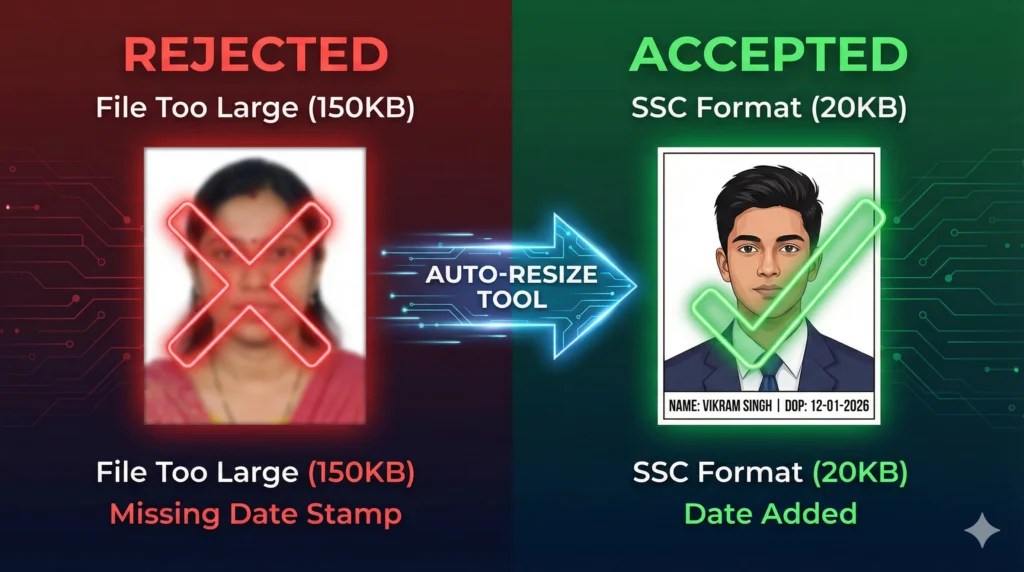
Are you applying for a government job like SSC CGL, UPSC Civil Services, or SBI PO? If so, you know the biggest headache isn’t the syllabus—it’s the application form.
Every exam has strictly different requirements. One asks for a 20KB signature, another needs a 3.5cm x 4.5cm photo, and exams like SSC strictly require your Name and Date of Photo (DOP) printed on the image.
If your file is even 1KB too large or lacks the date stamp, your application will be rejected immediately.
The Xiphos Govt Exam Photo Resizer solves this instantly. We have pre-loaded the official 2025 dimensions for all major Indian exams. Just select your exam, and our tool automatically resizes, compresses, and stamps your image perfectly.
India All-Exam Photo Tool
Official 2025 Formats: SSC, UPSC, SBI & Kerala PSC
Most “free photo resizers” just shrink the image. They don’t handle the specific, complex rules of Indian government forms. Our tool is built specifically for:
1. SSC Signature Resizer & Date Stamper The Staff Selection Commission (SSC) frequently rejects applications because the photo lacks a date or the signature is blurry. Our tool includes a “Name & Date Stamp” feature. You simply type your name and the current date, and we overlay it neatly at the bottom of your photo, exactly as per the official notification.
2. Compress Image to 20KB (Smart Compression) Getting a high-quality signature under 20KB is difficult on a mobile phone. Our smart compression engine reduces the file size without making the signature blurry, ensuring it passes the SBI PO and IBPS validation checks.
3. 100% Privacy (Client-Side Processing) Unlike other websites that upload your Aadhaar card or photos to a server, this tool runs entirely in your browser. Your personal documents never leave your device.
Supported Exams & 2025 Official Dimensions
We keep our database updated with the latest official notifications to ensure your files are never rejected.
1. SSC & Railways (RRB)
SSC Photo: 3.5 cm (width) x 4.5 cm (height). Must include Date of Photo (DOP). File size: 20KB to 50KB.
SSC Signature: 4.0 cm (width) x 2.0 cm (height). File size: 10KB to 20KB.
2. Banking (IBPS, SBI, RBI)
SBI PO Photo Resizer: 200 x 230 pixels. Size: 20KB – 50KB.
Signature: 140 x 60 pixels. Size: 10KB – 20KB (Must be on white paper with Black Ink).
Left Thumb Impression: 240 x 240 pixels. Size: 20KB – 50KB.
3. UPSC Civil Services (IAS/IPS)
UPSC Photo Size Converter: 3.5 cm x 4.5 cm. Size: 20KB – 300KB.
Signature: 3.5 cm x 1.5 cm. Size: 20KB – 300KB.
4. Kerala PSC (Thulasi)
Photo: Must be exactly 150px x 200px. Max size 30KB. Requires Name and Date of Photo printed at the bottom.
How to Add Date on Photo Online (SSC)
If you are applying for SSC CGL, CHSL, or MTS, follow these steps to add the mandatory date stamp:
Select Exam: Choose “SSC CGL/CHSL Photo” from the dropdown menu.
Enter Details: In the “Add Name & Date” box, type your Name and the Date of Photo (e.g., today’s date).
Upload: Select your photo. The tool will automatically place a white strip with your name and date at the bottom of the image.
Download: Click download to get your compliant JPG file.
Frequently Asked Questions (FAQ)
1. How do I reduce my photo size to 20KB? Simply select “SSC Signature” or “SBI Signature” in our tool. It automatically adjusts the quality settings to ensure the output file is between 10KB and 20KB while keeping it readable.
2. Is the date on photo mandatory for SSC? Yes. According to recent notifications, uploading a photograph without the “Date of Photograph” printed on it can lead to the cancellation of your candidature.
3. Can I resize my signature for PAN Card application? Yes. Select “PAN Card Signature” from the menu. We resize it to the NSDL/UTIITSL standard of 2cm x 4.5cm.
Need a Professional Website for Your Coaching Centre?
Xiphos Webcraft helps education businesses grow. If you run a coaching institute or an education blog, we can build you a high-speed website to attract more students.
Transforming Ideas into Stunning Websites – Xiphos WebCraft specializes in creating premium, user-friendly websites that elevate your business and captivate your audience.