
Secure Image Converter: Private & Client-Side Resizer

Are you tired of uploading your sensitive files to unknown servers just to change a file format?

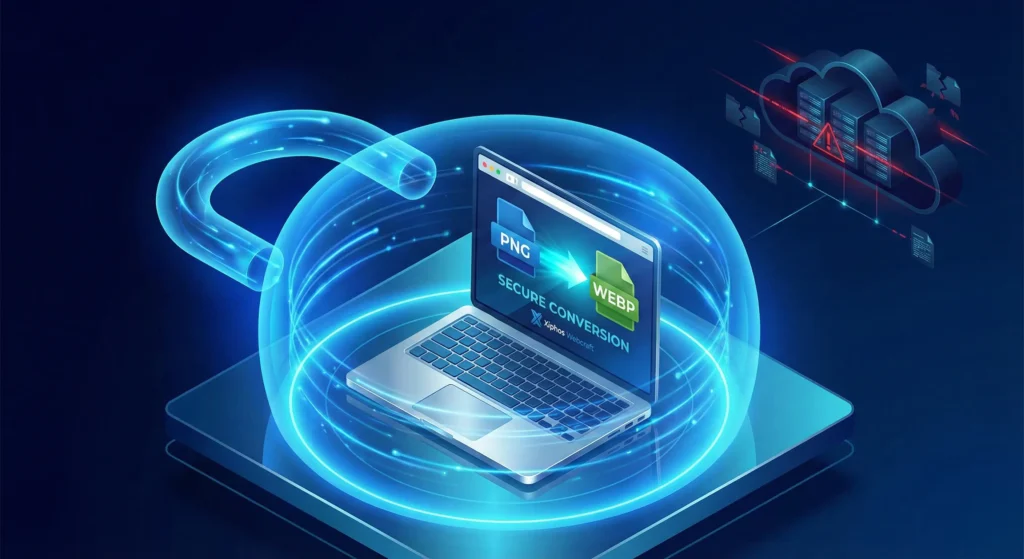
Welcome to the Xiphos Webcraft Secure Image Converter, the privacy-first tool designed for developers, businesses, and privacy-conscious users. Unlike generic tools that store your data on cloud servers, our solution is a private image converter that runs 100% in your browser.

This means your photos, documents, and assets never leave your device.

NO CONVERSION LIMITS

Image Converter & Resizer

Convert and resize PNG, JPG, WebP securely in your browser.

Click or Drag Image Here
Supports PNG, JPG, WEBP, BMP
×

Which Format Should You Choose?

Format Best Used For Pros & Cons
WebP Websites & Apps ✅ Smallest file size
✅ Supports transparency
❌ Older browsers (IE) don't support it
JPEG Photos & Realism ✅ Universal compatibility
✅ Good compression
❌ No transparency (White BG)
PNG Logos & Text ✅ Best quality (Lossless)
✅ Perfect transparency
❌ Large file sizes
Secure Image Converter

Why Use a No Upload Image Tool?

Most online image tools require you to “upload” your image to their server. Once you upload a file, you lose control over it. For casual memes, that might be fine. But for legal documents, NDA-protected designs, or personal family photos, using a no upload image tool is essential for security.

Our Secure Image Converter solves this problem using HTML5 Canvas technology.

  • Zero Data Transfer: The conversion happens in your computer’s memory (RAM), not on our server.
  • Instant Processing: Because there is no uploading or downloading wait time, it is faster than any server-side tool.
  • Unlimited Usage: Convert as many files as you need. There are no limits because we don’t pay for server costs—your computer does the work!

Features: More Than Just a Converter

We built this tool to handle the most common web development tasks without the bloat.

  1. Convert PNG to WebP Locally

WebP is the modern standard for fast websites. Our tool allows you to convert PNG to WebP locally without losing transparency. This reduces file size by up to 35%, helping your website load faster and pass Core Web Vitals.

  1. Client-Side Image Resizer

Don’t upload a massive 4000px image to your blog. It kills your page speed. Use our built-in Client-side image resizer to scale images down to a web-friendly 1200px or 800px instantly before you ever upload them to WordPress.

  1. Format Flexibility

Switch seamlessly between JPG, PNG, and WebP formats with a single click.

Frequently Asked Questions (FAQ)

1) Is this Secure Image Converter really free?

Yes. This tool is a free utility provided by Xiphos Webcraft. We believe developers should have access to fast, private tools without paywalls.

2) Does Xiphos see my files?

No. It is technically impossible. The code runs entirely on your local machine. If you disconnect from the internet, the tool will actually still work!

3) Why is client-side better for security?

Server-side tools create a temporary copy of your file on a stranger’s computer. A private image converter like ours ensures the data stream never leaves your own browser tab.

Build Better Websites with Xiphos

Optimizing images is just the first step. If your business needs a high-performance website that ranks high on Google, you need more than just a converter.

Xiphos Webcraft specializes in secure web development, digital marketing, and branding. We build digital experiences that are as fast and secure as this tool.

Who Should Use This Private Converter?

While this tool is free for everyone, it is engineered specifically for professionals who handle sensitive data and cannot risk a data breach.

  • Agencies & Developers: When you are working on NDA-protected projects or unreleased product launches, uploading assets to a public cloud converter is a security risk. Our tool lets you optimize client assets without violating confidentiality agreements.

  • Legal & Finance Professionals: If you need to convert scanned contracts, ID cards, or financial statements from JPG to PNG or WebP, security is paramount. Since our tool works offline, it ensures strict compliance with data privacy standards like GDPR and HIPAA by keeping data on your local machine.

  • Privacy-Conscious Users: Did you know most smartphone photos contain hidden EXIF metadata, including your exact GPS coordinates? When you convert an image using our client-side engine, it re-renders the pixels, effectively creating a “clean” version of the image. This helps you sanitize your photos and strip sensitive location data before sharing them online.

Transforming Ideas into Stunning Websites – Xiphos WebCraft specializes in creating premium, user-friendly websites that elevate your business and captivate your audience.

Xiphos WebCraft

Xiphos WebCraft – Excellence in Every Pixel. All Rights Reserved.